
Security scanners flag known flaws faster than engineers can fix them. This post shows an AI agent clearing one of those alerts end to end, from the scanner's alert to a change ready for review.
Under 3 min | $5,000 | $1.30 | 0 |
|---|---|---|---|
from security alert to a tested fix, ready for review | the fake refund the agent proved an attacker could take | total AI cost for the whole job | changes shipped without a person's approval |
The challenge
Acme is a demo company that runs an online checkout. Its security scanner flagged a known flaw in the login library behind checkout. In Acme's setup, an attacker could fake a staff login and issue refunds to themselves.
The scanner's advice was "upgrade the library". That is rarely the whole job. Someone still has to prove the flaw can actually be used, check what the upgrade breaks, close any gap the upgrade leaves, and get a reviewer to trust the change. That takes hours, so alerts like this wait in a queue.
What the agent did
1. It took the alert, not the keys. The scanner sent the alert straight to the agent in xpander. The scanner never held access to Acme's code.

The alert, delivered to the agent.
2. It proved the flaw was real. Before changing anything, the agent played the attacker. It faked a staff login and asked for a refund. The old code paid out $5,000. A warning became proof.

On the old code, the fake login gets a $5,000 refund through.
3. It fixed more than the scanner asked. The upgrade alone would have left part of the hole open, so the agent closed that too. All tests passed, including three new security checks that stay in the code, so the flaw can't quietly come back.
4. It prepared the change for a person. The agent wrote up what was wrong, the proof, every change and the test results, ready for review. It also flagged the one step a reviewer could miss before release.
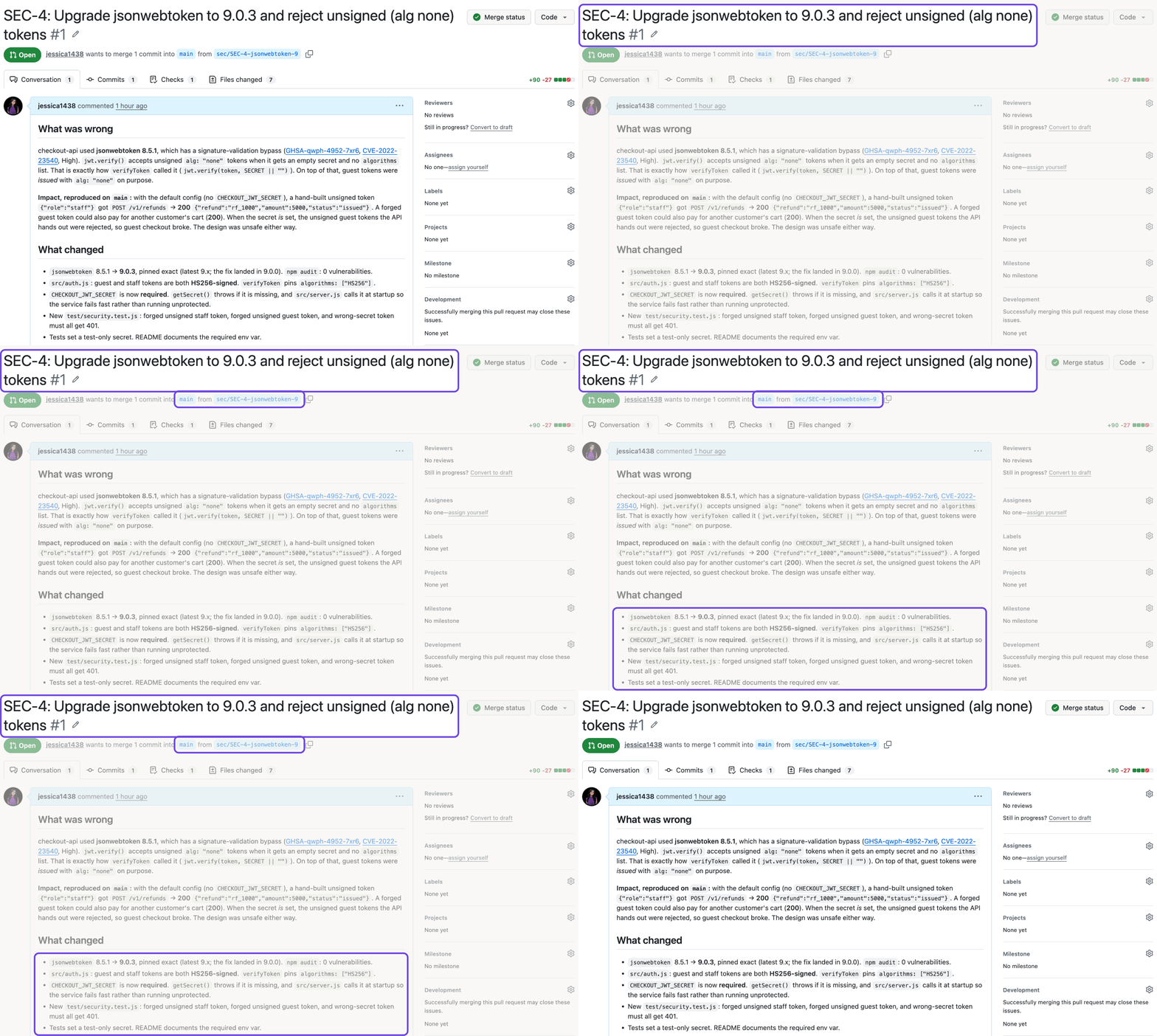
The change, written up by the agent and waiting for review.
Then it stopped and wrote to Dana, Acme's head of platform:
The PR is not merged. Dana, once you've reviewed it, tell me if you want it merged.
Acme Patch Bot, in xpander
Guardrails
The agent's limits are set in xpander, not in its instructions, so nothing in the conversation can move them. Four were in place:
A sealed workspace. The agent worked on its own copy of the code, never on a laptop or the live system.
One key, for one codebase. The GitHub key sits in xpander's key store. The agent uses it by name, and the key never appears in the conversation or the logs.
Merges wait for approval. Merging a change, pushing to the main codebase and overwriting history each wait for a named person. This is what stopped the agent at review.
A spending cap and a full record. Spend is capped per run, and every step is logged with its time and cost. This job cost $1.30.

The GitHub key in xpander's key store: owner only, and never shown or logged.

The approval rule that stopped the agent at review.
Other jobs this setup handles
The same setup works for any job where the agent does the work and a person approves the result before it goes live. Three common examples:
Keeping code up to date. Every codebase depends on outside libraries that fall behind and break over time. The agent upgrades one library, runs the tests, fixes anything that broke, and writes a short summary of what changed. An engineer reviews that summary and decides whether the change goes into the main code.
Changing cloud infrastructure. Many teams describe their cloud servers and networks in code files, so a change to the file changes the real system. The agent edits the file and produces a preview of exactly what would change, such as which servers would be added or removed. Nothing changes in the live cloud account until a person approves that preview.
Cleaning up old code and settings. Features that launched long ago leave behind switches, settings and code nobody uses, and they slow every new engineer down. The agent finds what is no longer used, removes it, and runs the tests to confirm nothing broke. A person approves the cleanup before it reaches the main code or the live settings.
How to set up an agent like this
Create the agent with New, and write its job and its limits in the instructions.
Store its keys under Platform > Agents > Secrets. Any key works the same way: GitHub, a cloud account, Jira.
Connect the work through a webhook, the API, a schedule or chat.
Hold risky actions under Agent settings > Advanced > Commands, and name who approves.
Set a budget under Agent settings > Advanced > Budget.
Read Approvals, Credentials and Budgets in the docs, or book a demo.
More use cases
Production outage: An agent finds the bad release, tells customers, and waits for a person to approve the fix. (0 production changes without approval)
IT support: One IT agent helps every employee with their own access and waits for IT to approve each change. (0 equipment changes without approval)


